Stop Serving PNG: Switch to WebP
Stop Serving PNG: Switch to WebP and Cut Your Image Sizes by 80%
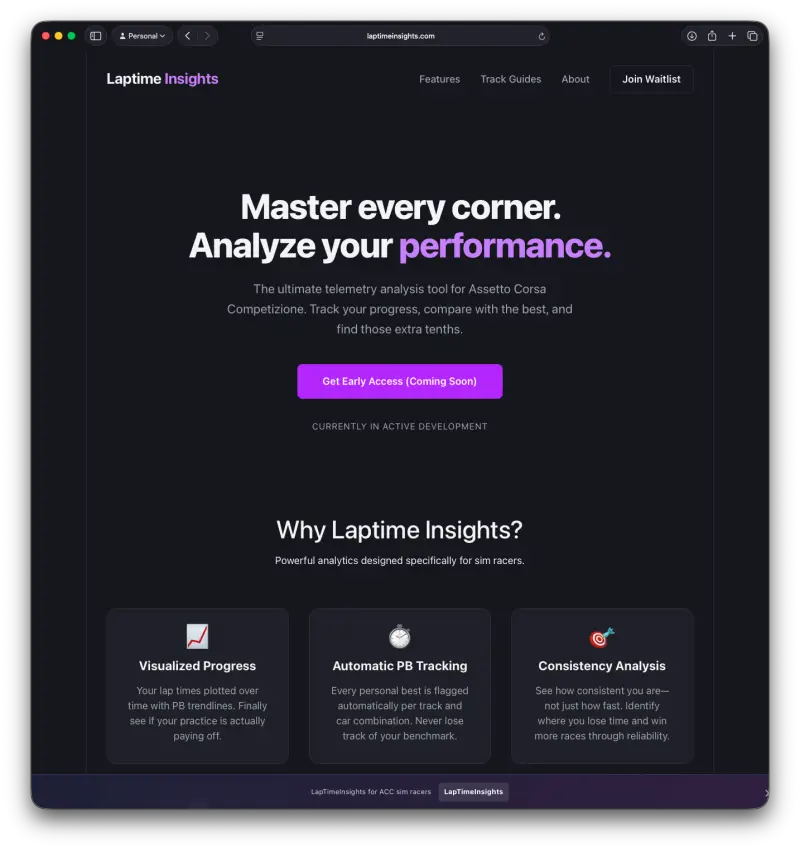
WebP is the modern image format your website should already be using. Google’s cwebp tool converts your existing PNG and JPEG files to WebP in seconds — and the results speak for themselves: a 1,434 × 1,522 PNG at 371 KB becomes a 74 KB WebP file. That’s an 80% reduction with no visible quality loss.
The Bottom Line
Use WebP for all web images. Install
cwebp, run one command per image, and dramatically reduce page load times without sacrificing quality.
Why WebP?
Modern web performance lives or dies on image size. Images are typically the largest assets on any page, and PNG — despite its lossless quality — is bloated for web delivery.
WebP solves this with a smarter compression algorithm developed by Google. It supports:
- Lossy compression — smaller files, barely perceptible quality difference
- Lossless compression — identical quality to PNG, but smaller
- Alpha transparency — unlike JPEG, WebP handles transparency cleanly
- Near-universal browser support — all major browsers have supported WebP since 2020
The numbers from a real conversion make the case plainly:
| File | Size | Notes |
|---|---|---|
laptimeinsights.png | 371 KB | Original, with alpha channel |
laptimeinsights.webp | 74 KB | After cwebp conversion |
| Saving | 297 KB | 80% smaller |
For a user on a mobile connection, that’s the difference between an image that loads instantly and one that makes them wait.
How to Install cwebp
cwebp is part of Google’s libwebp package, available on all major platforms.
macOS
brew install webp
Ubuntu / Debian
sudo apt install webp
Windows
Download the prebuilt binary from Google’s WebP release page
and add it to your PATH.
Verify the installation
cwebp -version
How to Use cwebp
Basic conversion
cwebp input.png -o output.webp
That’s the core command. For the example in this post:
cwebp laptimeinsights.png -o laptimeinsights.webp
The output confirms what was processed:
Saving file 'laptimeinsights.webp'
File:      laptimeinsights.png
Dimension: 1434 x 1522 (with alpha)
Output:    73656 bytes Y-U-V-All-PSNR 45.98 51.34 52.50   47.22 dB
           (0.27 bpp)
A PSNR of 47.22 dB means the quality is excellent — any value above 40 dB is generally considered indistinguishable from the original by human eyes.
Control quality
cwebp -q 85 input.png -o output.webp
The -q flag sets quality from 0 (smallest file) to 100 (best quality). The default is 75. Values between 80–90 are a good balance for most web images.
Lossless mode (for images where exact quality matters)
cwebp -lossless input.png -o output.webp
This preserves pixel-perfect quality while still achieving meaningful compression — useful for UI screenshots, logos, or anything with sharp edges and flat colour areas.
Batch convert an entire folder
for f in *.png; do cwebp "$f" -o "${f%.png}.webp"; done
Resize while converting
cwebp -resize 800 0 input.png -o output.webp
The 0 for height tells cwebp to maintain the aspect ratio automatically.
Integrating with IntelliJ/WebStorm External Tools
For an even smoother workflow, you can configure IntelliJ-based IDEs (like IntelliJ IDEA or WebStorm) to run the cwebp conversion script directly on a directory. This allows you to right-click a folder containing PNGs and convert them all to WebP with a single action.
Here’s how to set it up:
Create a shell script (e.g.,
convert_to_webp.sh) in a convenient location (e.g., your project root or ascriptsdirectory):#!/bin/bash # convert_to_webp.sh # Converts all PNG files in the current directory to WebP. # Check if cwebp is installed if ! command -v cwebp &> /dev/null then echo "cwebp could not be found. Please install it first (e.g., brew install webp)." exit 1 fi # Iterate over all .png files in the current directory for f in *.png; do cwebp "$f" -o "${f%.png}.webp"; done echo "All PNG files processed."Make the script executable:
chmod +x convert_to_webp.shConfigure External Tool in IntelliJ/WebStorm:
- Go to
Settings/Preferences>Tools>External Tools. - Click the
+icon to add a new tool. - Name:
Convert PNGs to WebP(or similar) - Description:
Converts all PNG images in the selected directory to WebP format. - Program: Click the folder icon and navigate to your
convert_to_webp.shscript. - Arguments:
$FileDir$(This passes the absolute path of the selected directory to your script). - Working directory:
$ProjectFileDir$(This ensures the script runs from your project root, or adjust if your script expects a different working directory). - Check
Open consoleto see the script’s output. - Click
OKto save.
- Go to
Now, you can right-click on any directory in your project, go to External Tools, and select Convert PNGs to WebP to run the script.
Deploying WebP on Your Site
Once you have your .webp files, use the HTML <picture> element to serve WebP with a PNG fallback for any older browsers:
<picture>
  <source srcset="laptimeinsights.webp" type="image/webp">
  <img src="laptimeinsights.png" alt="Lap time insights dashboard">
</picture>
Modern browsers pick the WebP source; anything that doesn’t support WebP falls back to the PNG gracefully.
Summary
The case is simple:
- WebP is smaller — typically 25–80% smaller than PNG for the same visual quality
cwebpis fast — one command, instant results, no GUI needed- Browser support is universal — no meaningful risk to switching today
If your site is still serving PNG files, you’re sending your users more data than they need. cwebp fixes that in an afternoon.
Sample command line output
% cwebp -lossless laptimeinsights.png -o laptimeinsights-lossless.webp
Saving file 'laptimeinsights-lossless.webp'
File:      laptimeinsights.png
Dimension: 1434 x 1522
Output:    110466 bytes (0.40 bpp)
Lossless-ARGB compressed size: 110466 bytes
  * Header size: 2579 bytes, image data size: 107862
  * Lossless features used: PREDICTION CROSS-COLOR-TRANSFORM SUBTRACT-GREEN
  * Precision Bits: histogram=5 prediction=5 cross-color=5 cache=9
% cwebp laptimeinsights.png -o laptimeinsights.webp

Saving file 'laptimeinsights.webp'
File:      laptimeinsights.png
Dimension: 1434 x 1522 (with alpha)
Output:    73656 bytes Y-U-V-All-PSNR 45.98 51.34 52.50   47.22 dB
           (0.27 bpp)
block count:  intra4:       1348  (15.60%)
              intra16:      7292  (84.40%)
              skipped:      6917  (80.06%)
bytes used:  header:            381  (0.5%)
             mode-partition:   9157  (12.4%)
             transparency:    18002 (99.0 dB)
 Residuals bytes  |segment 1|segment 2|segment 3|segment 4|  total
    macroblocks:  |       1%|       4%|      13%|      82%|    8640
      quantizer:  |      36 |      36 |      30 |      24 |
   filter level:  |      11 |       8 |      63 |      10 |
Lossless-alpha compressed size: 18001 bytes
  * Header size: 249 bytes, image data size: 17752
  * Lossless features used: PREDICTION
  * Precision Bits: histogram=5 prediction=5 cache=5
  * Palette size:   242
% cwebp -resize 800 0 laptimeinsights.png -o laptimeinsights-800w.webp
Saving file 'laptimeinsights-800w.webp'
File:      laptimeinsights.png
Dimension: 800 x 850 (with alpha)
Output:    40202 bytes Y-U-V-All-PSNR 43.93 50.03 51.57   45.26 dB
           (0.47 bpp)
block count:  intra4:        598  (22.15%)
              intra16:      2102  (77.85%)
              skipped:      1905  (70.56%)
bytes used:  header:            268  (0.7%)
             mode-partition:   3481  (8.7%)
             transparency:    14980 (99.0 dB)
 Residuals bytes  |segment 1|segment 2|segment 3|segment 4|  total
    macroblocks:  |       1%|       8%|      15%|      77%|    2700
      quantizer:  |      36 |      35 |      30 |      24 |
   filter level:  |      11 |       7 |       6 |       5 |
Lossless-alpha compressed size: 14979 bytes
  * Header size: 219 bytes, image data size: 14760
  * Lossless features used: PREDICTION
  * Precision Bits: histogram=5 prediction=5 cache=3
  * Palette size:   216
Screenshots



If you enjoyed this article, feel free to support my work on Ko-fi!
Support on Ko-fi