Building CatchUp: A React + Supabase PWA Crafted with Claude Code and Claude Design
AI-assisted engineering has transitioned from chat-based prompts to multi-agent coordinate workflows. By pairing specialized tools—Claude Code for terminal-driven implementation and Claude Design for interactive visual prototyping—with OpenSpec to maintain a structured development loop, developers can build fully-featured production apps in days.
This article walks through how I built CatchUp—a React + Supabase Progressive Web App (PWA) designed to let friends coordinate events, vote on dates/locations, and lock in bookings without group chat chaos.
Technical Stack & Initial Setup
The application is structured to support offline-first capabilities and mobile installations:
- Frontend: React (configured as a PWA)
- Database & Auth: Supabase (running locally for development)
- Agents: Claude desktop app with Opus 4.8 Medium, Claude Code CLI
- Context Control: OpenSpec + “Caveman” low-verbosity settings to optimize token consumption
Setup Steps
# Initialize git repository
git init

# Node configuration (using active LTS)
echo "24.15" > .nvmrc

# Install and initialize OpenSpec
npm install -g openspec
openspec init

# Install local database stack
brew install supabase/tap/supabase
supabase init
I populated the ReadMe.md and openspec/config.yaml to ensure the Claude agents had immediate, grounded references for the product’s boundaries before writing a single line of logic.
.env with the anon key - and from there Claude took care of everything - applying migrations, resetting the database when needed etc.Visual Prototyping: Claude Design
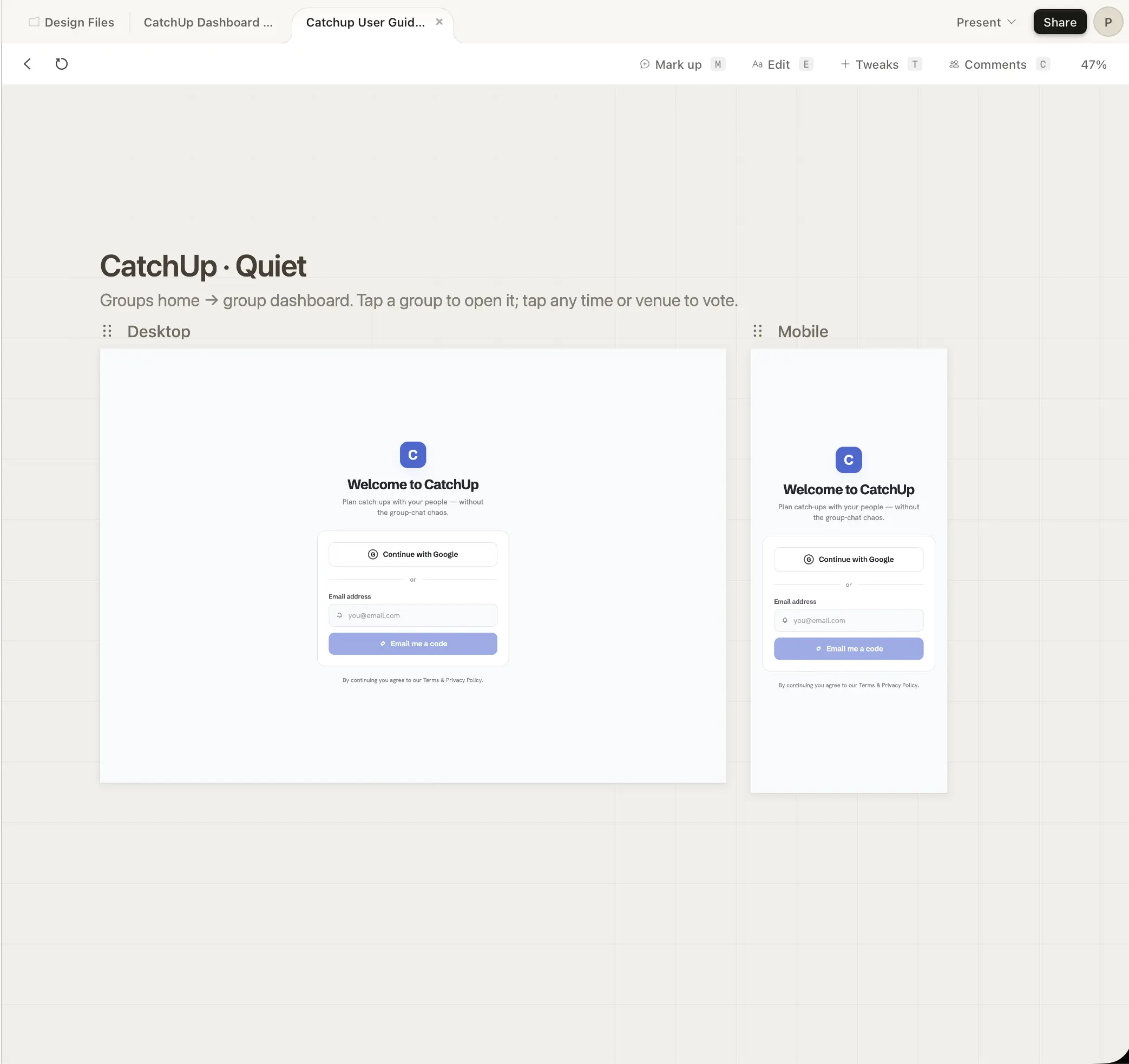
Initial UI instructions produced functional but brutalist interfaces. To fix this, I offloaded visual layouts to Claude Design:
- Pasted raw product requirements from
ReadMe.mdinto Claude Design. - Iterated interactive UI states (joining groups, creating events, voting).
- Exported the completed visual asset zip.
- Instructed Claude Code to extract the zip and systematically implement the design system.
When new components or states were needed, I reverted to Claude Design, revised the layout, exported a new bundle, and prompted Claude Code to update the implementation.
Implementation Loop: Propose, Apply, Archive
Rather than feeding raw instructions directly to Claude Code, all features were mediated via the OpenSpec /opsx interface. This pipeline ensures changes remain trackable and context stays clean.
The Feature Loop Steps:
1. Session Setup
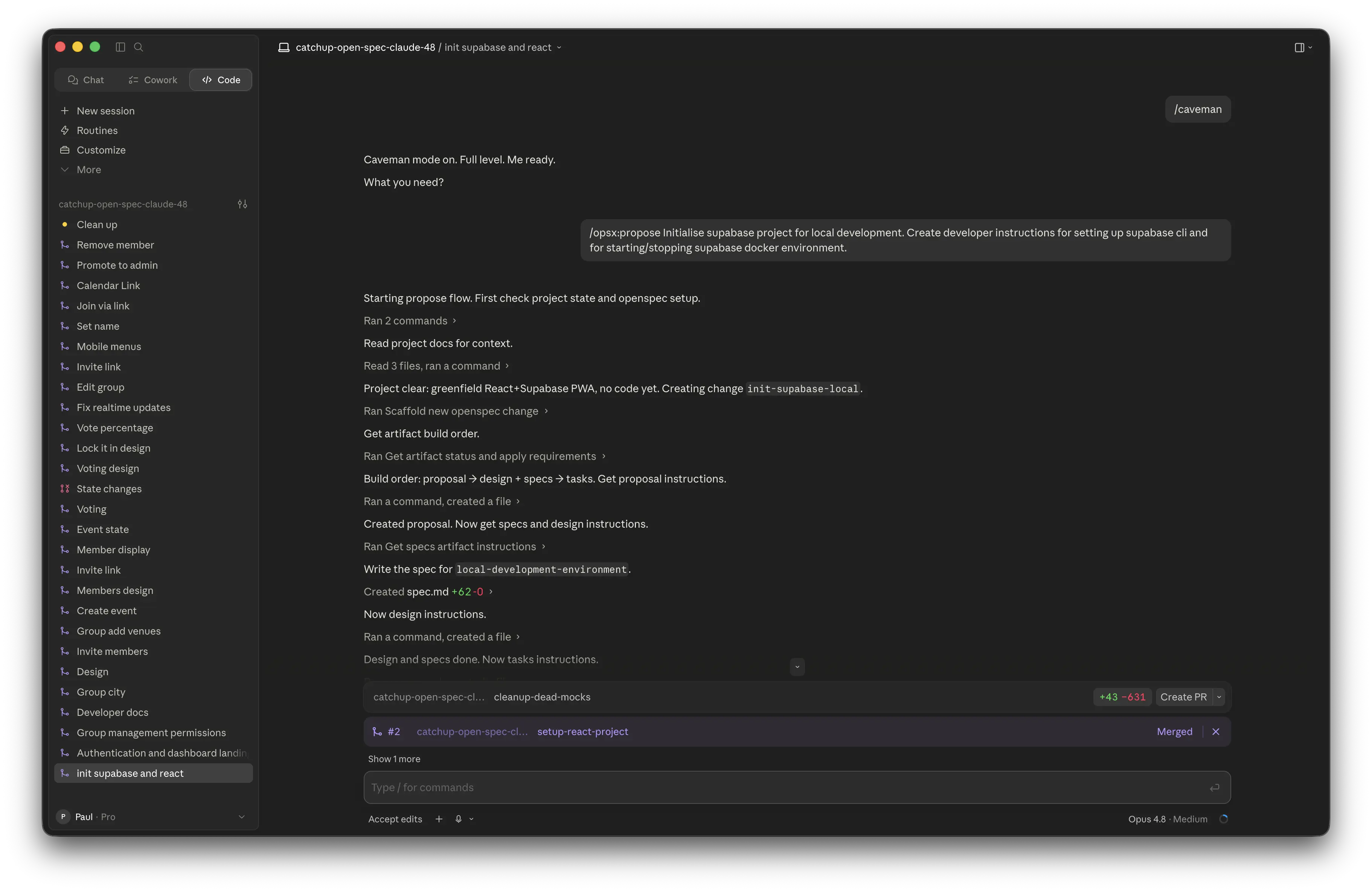
To prevent unnecessary context bloat, every new feature implementation started with a fresh shell session. I invoked Caveman Mode to force the agent to use short, action-focused responses. This significantly reduced token usage across the five-hour quota windows.
2. Propose
/opsx:propose "Group members can vote on proposed dates and venues"
This command compiles the feature request and checks existing specifications. It generates:
- A localized feature proposal.
- Schema changes (migration scripts for Supabase).
- Interactive frontend tasks and verification specs.
3. Apply
/opsx:apply
Once the proposal passed sanity checks, /opsx:apply kicked off file writing. The agent executed backend schema updates, built components, and initiated local servers, checking functionality dynamically using its local preview pane.
4. Archive
/opsx:archive
After verifying the changes in my local browser, archiving the feature updated the master specifications directory. This ensured future Claude sessions could build upon accurate, current context without carrying deprecated drafts.
After archiving I’d instruct Claude to “raise PR” and subsequently “merge”.
The CatchUp PWA User Experience
The finalized application integrates real-time Supabase states, offline storage, and responsive views suitable for standalone mobile installation.
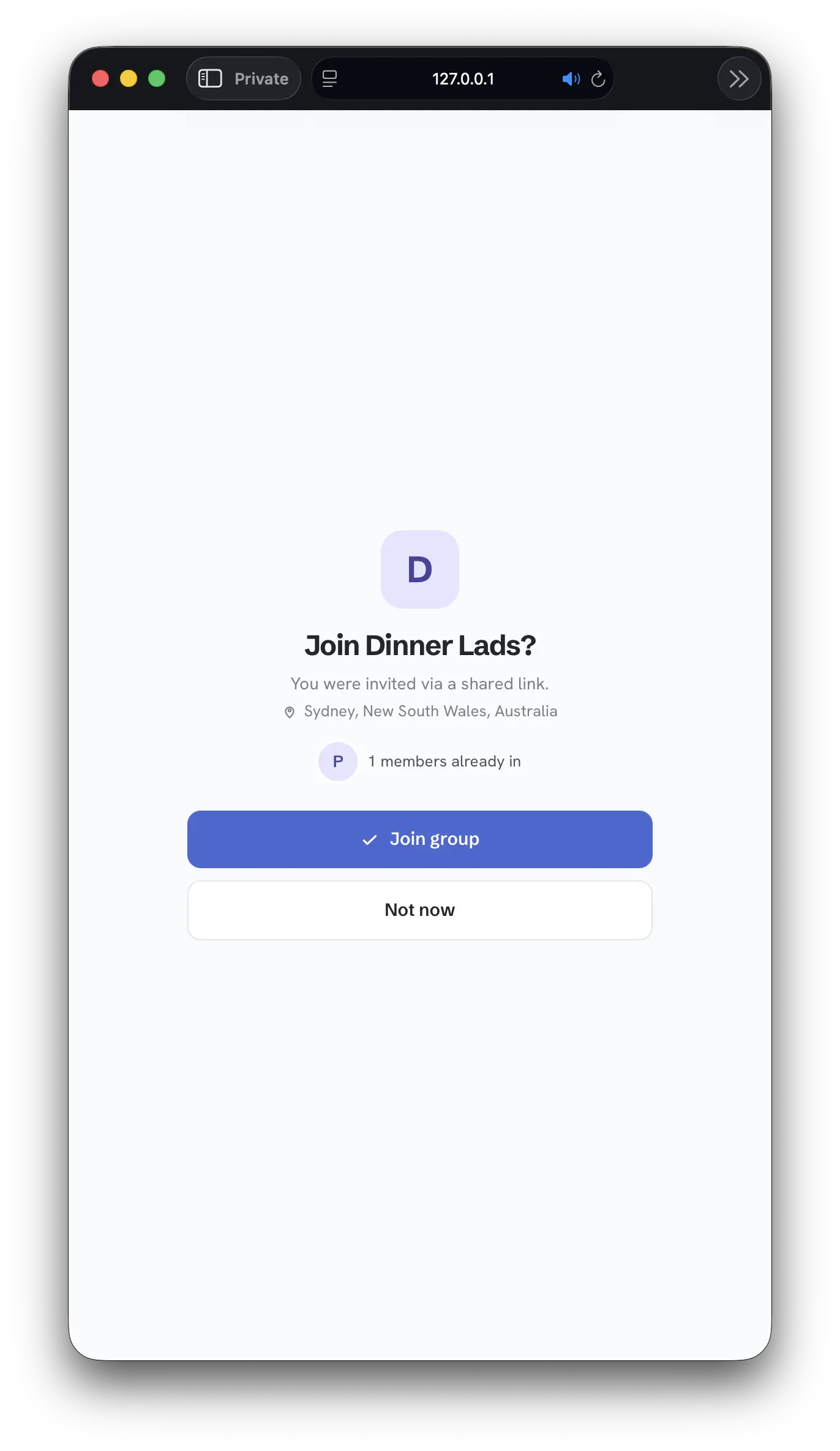
Joining a Group
Users enter a shared group URL to link their accounts and join active planning instances.
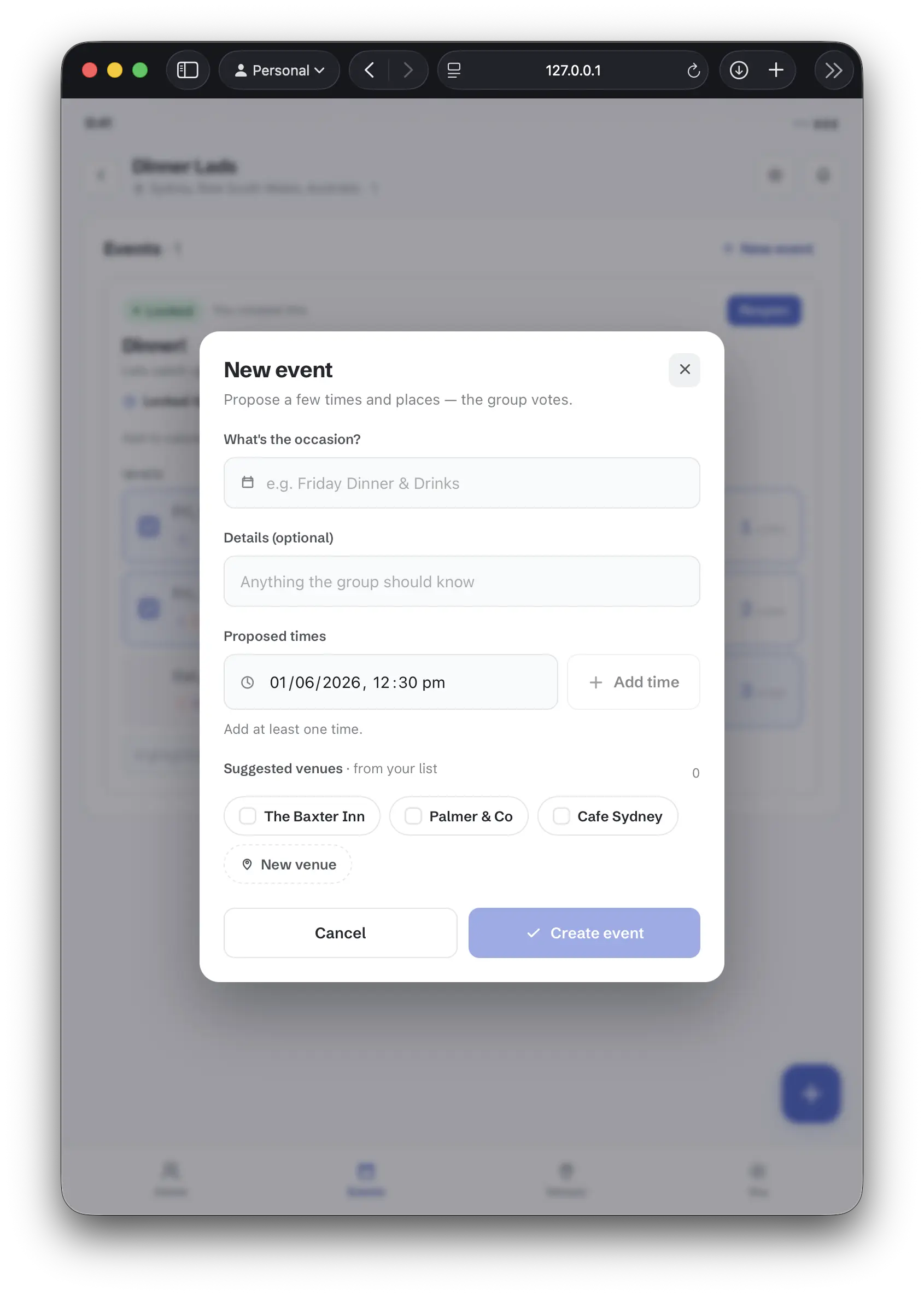
Proposing Events
Group organizers propose multiple dates and venue slots to eliminate single-option planning friction.
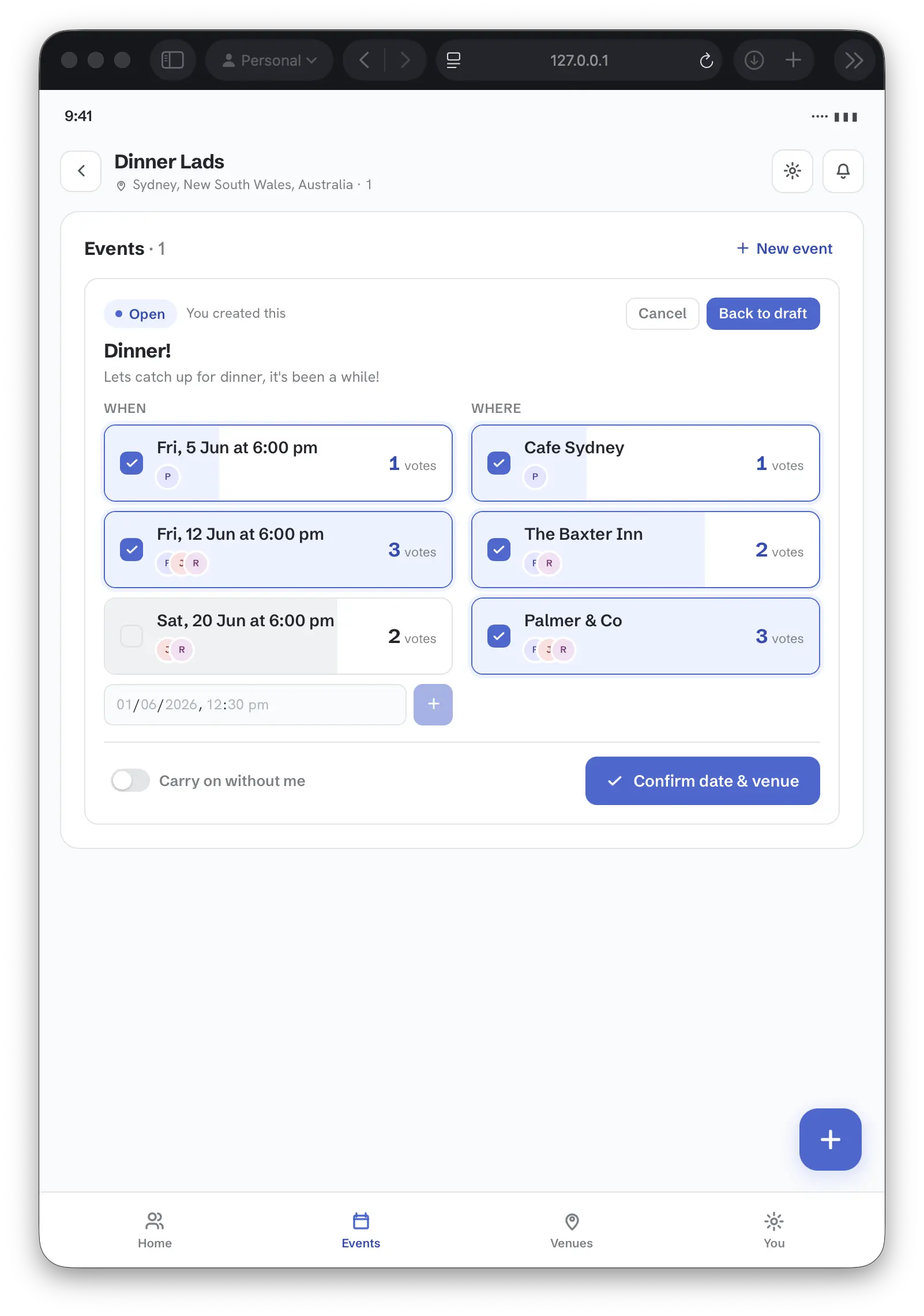
Multi-Slot Voting
Members review dates and locations simultaneously, using quick toggles to vote on options that fit their schedules.
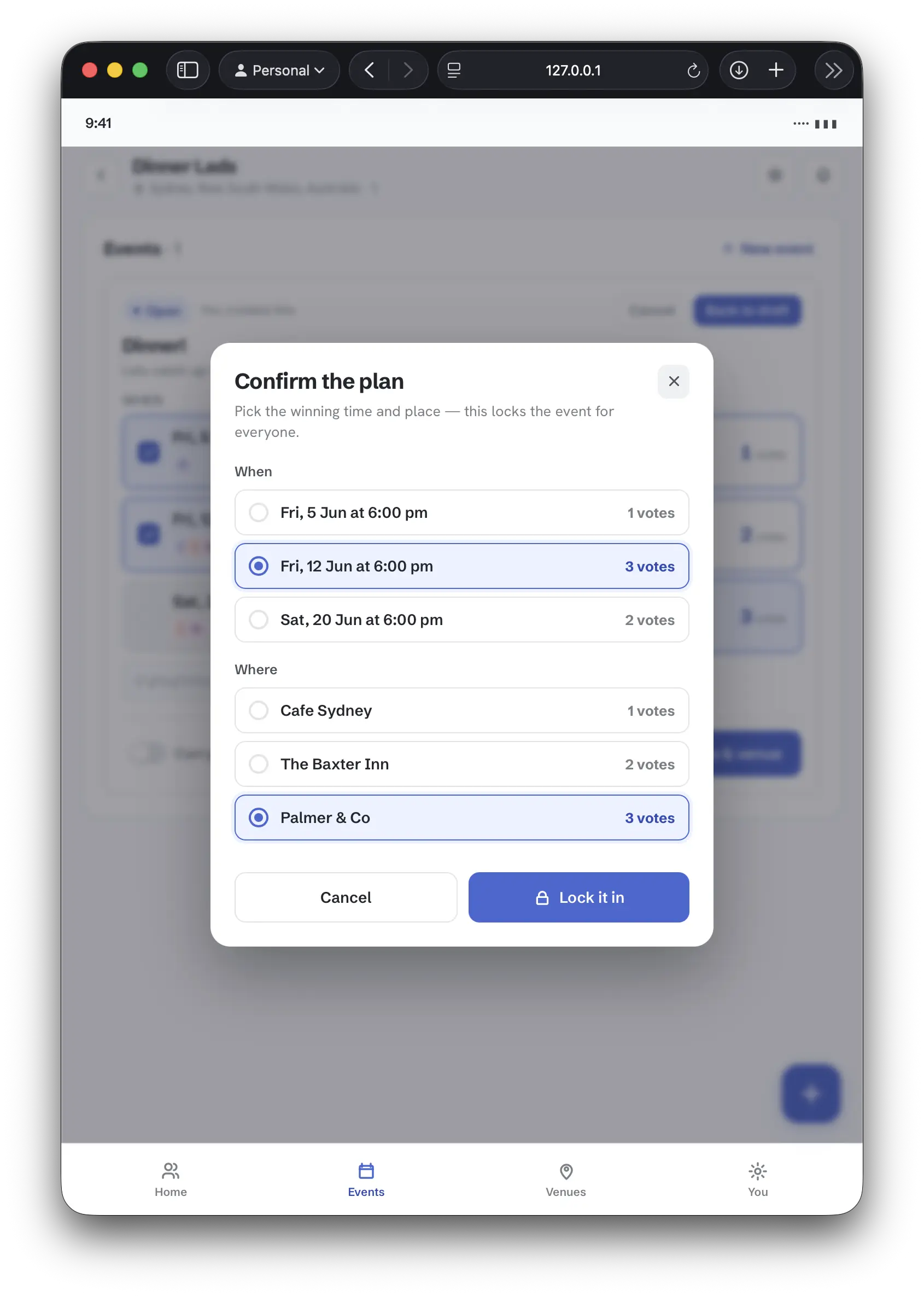
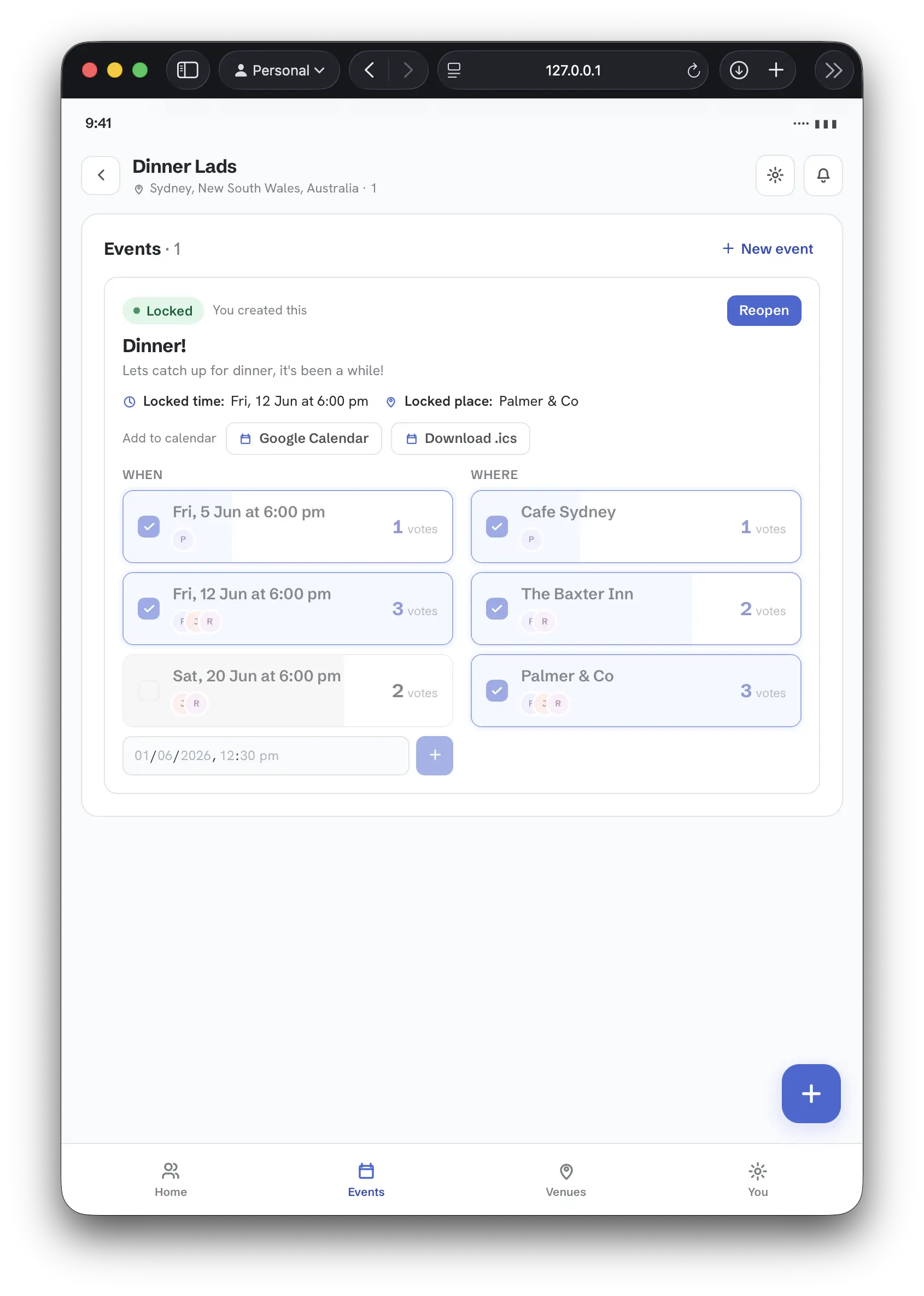
Confirmation & Locked-In States
Once planning concludes, the host locks in the final selection, updating the group dashboard into a single active schedule card.
Lessons Learned & Optimization Tips
Building with advanced agent systems requires structural discipline. Keep these principles in mind:
- Decouple Design and Logic: Let Claude Design handle the aesthetics and layout exports, and let Claude Code focus on state machine wiring, integrations, and database operations.
- Enforce Strict Verbosity Rules: Caveman mode or system-level directives to avoid chatty AI behaviors saves token consumption over prolonged sessions.
- Maintain Versioned Specifications: Keeping specifications up to date and accurately reflecting the goal means a focussed context.
Current openspec directory content
For anyone interested, my openspec directory looks like the following:
openspec/
├── changes
│   └── archive
│       ├── 2026-05-29-add-authentication
│       ├── 2026-05-29-add-dev-docs
│       ├── 2026-05-29-add-group-city-field
│       ├── 2026-05-29-add-group-invite-links
│       ├── 2026-05-29-create-event
│       ├── 2026-05-29-group-add-venues
│       ├── 2026-05-29-init-supabase-local
│       ├── 2026-05-29-manage-groups
│       ├── 2026-05-29-setup-react-project
│       ├── 2026-05-30-add-event-voting
│       ├── 2026-05-30-allow-status-rollback
│       ├── 2026-05-30-change-event-status
│       ├── 2026-05-30-fix-group-roster
│       ├── 2026-05-30-fix-realtime-event-sync
│       ├── 2026-05-30-fix-venue-search-input-visibility
│       ├── 2026-05-30-group-invite-links
│       ├── 2026-05-30-integrate-members-list
│       ├── 2026-05-30-move-lock-trigger-to-footer
│       ├── 2026-05-30-optout-toggle-switch
│       ├── 2026-05-30-personalize-member-identity
│       ├── 2026-05-30-redesign-lock-in-dialog
│       ├── 2026-05-30-simplify-voting-to-tickbox
│       ├── 2026-05-30-vote-bg-percentage
│       ├── 2026-05-31-add-user-display-name
│       ├── 2026-05-31-edit-groups
│       ├── 2026-05-31-fix-mobile-menus
│       ├── 2026-05-31-join-via-link-flow
│       ├── 2026-05-31-locked-event-calendar-link
│       ├── 2026-05-31-restrict-invite-link-to-admins
│       ├── 2026-05-31-wire-up-admin-promote-members
│       └── 2026-06-01-wire-up-remove-member
├── config.yaml
└── specs
    ├── authentication
    │   └── spec.md
    ├── dashboard
    │   └── spec.md
    ├── developer-getting-started
    │   └── spec.md
    ├── display-name-editing
    │   └── spec.md
    ├── event-calendar-export
    │   └── spec.md
    ├── event-voting
    │   └── spec.md
    ├── events
    │   └── spec.md
    ├── frontend-app-scaffold
    │   └── spec.md
    ├── group-invites
    │   └── spec.md
    ├── group-venues
    │   └── spec.md
    ├── groups
    │   └── spec.md
    ├── local-development-environment
    │   └── spec.md
    ├── location-autocomplete
    │   └── spec.md
    ├── member-identity
    │   └── spec.md
    ├── mobile-navigation
    │   └── spec.md
    └── user-profiles
        └── spec.md
An example archive directory:
openspec/changes/archive/2026-05-29-add-authentication
├── design.md
├── proposal.md
├── specs
│   ├── authentication
│   │   └── spec.md
│   ├── dashboard
│   │   └── spec.md
│   └── user-profiles
│       └── spec.md
└── tasks.md
If you enjoyed this article, feel free to support my work on Ko-fi!
Support on Ko-fi