Dependency upgrades with Renovate
In modern software development, managing dependencies is a critical yet often overlooked aspect of maintaining healthy codebases. Enter Renovate: an open-source tool that automates dependency updates, making your project maintenance both easier and more secure.
What is Renovate?
Renovate is an automated dependency management tool that monitors your repository’s dependencies and automatically creates pull requests when updates become available. Think of it as your personal assistant that constantly checks for new versions of the libraries and packages your project uses.
Why Your Team Needs Renovate
1. Security Through Timeliness
Outdated dependencies are security vulnerabilities waiting to happen. Renovate ensures you’re promptly notified of security patches and updates, allowing you to maintain a secure codebase proactively rather than reactively.
2. Reduced Manual Work
Gone are the days of manually checking for updates or running npm audit periodically. Renovate automates this process, creating pull requests that:
- Update dependencies to their latest versions
- Include release notes and changelogs
- Can be configured to auto-merge for minor updates
3. Gradual Updates
Instead of facing a mountain of outdated dependencies every few months, Renovate helps you stay current through small, manageable updates. This approach: - Reduces the risk of breaking changes - Makes debugging easier when issues occur - Keeps technical debt from accumulating
Getting Started
Setting up Renovate is straightforward:
Install Renovate in your repository (through GitHub App or self-hosted)
Add a basic configuration file (renovate.json)
Let Renovate create its first "onboarding" pull request
A minimal configuration might look like this:
{
  "$schema": "https://docs.renovatebot.com/renovate-schema.json",
  "extends": ["config:base"]
}
Best Practices
To get the most out of Renovate, consider these best practices:
Start with the default configuration and customize gradually
Use preset configurations for your specific ecosystem
Configure auto-merging for patch updates
Set up scheduled updates to avoid overwhelming your CI pipeline
Group related dependencies to minimize PR noise
Example
Here’s a simple example of a Renovate configuration file:
{
  $schema: "https://docs.renovatebot.com/renovate-schema.json",
  extends: [
    "config:recommended"
  ],
  // specify timezone for scheduling
  timezone: "Australia/Sydney",
  // run before the workday starts to save pipeline capacity during work hours
  schedule: "after 6am and before 8am on Monday",
  packageRules: [
    // group minor and patch into one PR and automerge if build checks pass
    {
      automerge: true,
      groupName: "all non-major dependencies",
      groupSlug: "all-minor-patch",
      matchPackageNames: [
        "*"
      ],
      matchUpdateTypes: [
        "minor",
        "patch"
      ]
    }
  ]
}
Key points to note:
Scheduled to run on Monday mornings
Conveniently runs before the workday starts, leaving pipeline capacity free for your team when they need it most
Also helps if you have automated deployments - less interruption/change during your work day
Groups minor and patch updates together into one PR
This reduces the number of PRs and makes it easier to review and minimises noise
Automatically merges minor/patch updates (if CI checks pass)
This helps keep the repository up-to-date without manual intervention - less PRs to review!
Example pull requests from one of my repositories:
You’ll want to have CI checks configured so that Renovate can merge PRs automatically. I use a github action to run ./gradlew build to ensure the project compiles and passes all tests:
Github action to build project
# This workflow will build a Java project with Gradle and cache/restore any dependencies to improve the workflow execution time
# For more information see: https://docs.github.com/en/actions/automating-builds-and-tests/building-and-testing-java-with-gradle

name: Java CI with Gradle

on:
  push:
    branches: [ "main" ]
  pull_request:
    branches: [ "main" ]

jobs:
  build:

    runs-on: ubuntu-latest
    permissions:
      contents: read

    steps:
    - uses: actions/checkout@v4
    - name: Set up JDK
      uses: actions/setup-java@v4
      with:
        java-version: '21'
        distribution: 'temurin'

    # Configure Gradle for optimal use in GitHub Actions, including caching of downloaded dependencies.
    # See: https://github.com/gradle/actions/blob/main/setup-gradle/README.md
    - name: Setup Gradle
      uses: gradle/actions/setup-gradle@94baf225fe0a508e581a564467443d0e2379123b # v4.3.0

    - name: Build with Gradle Wrapper
      run: ./gradlew build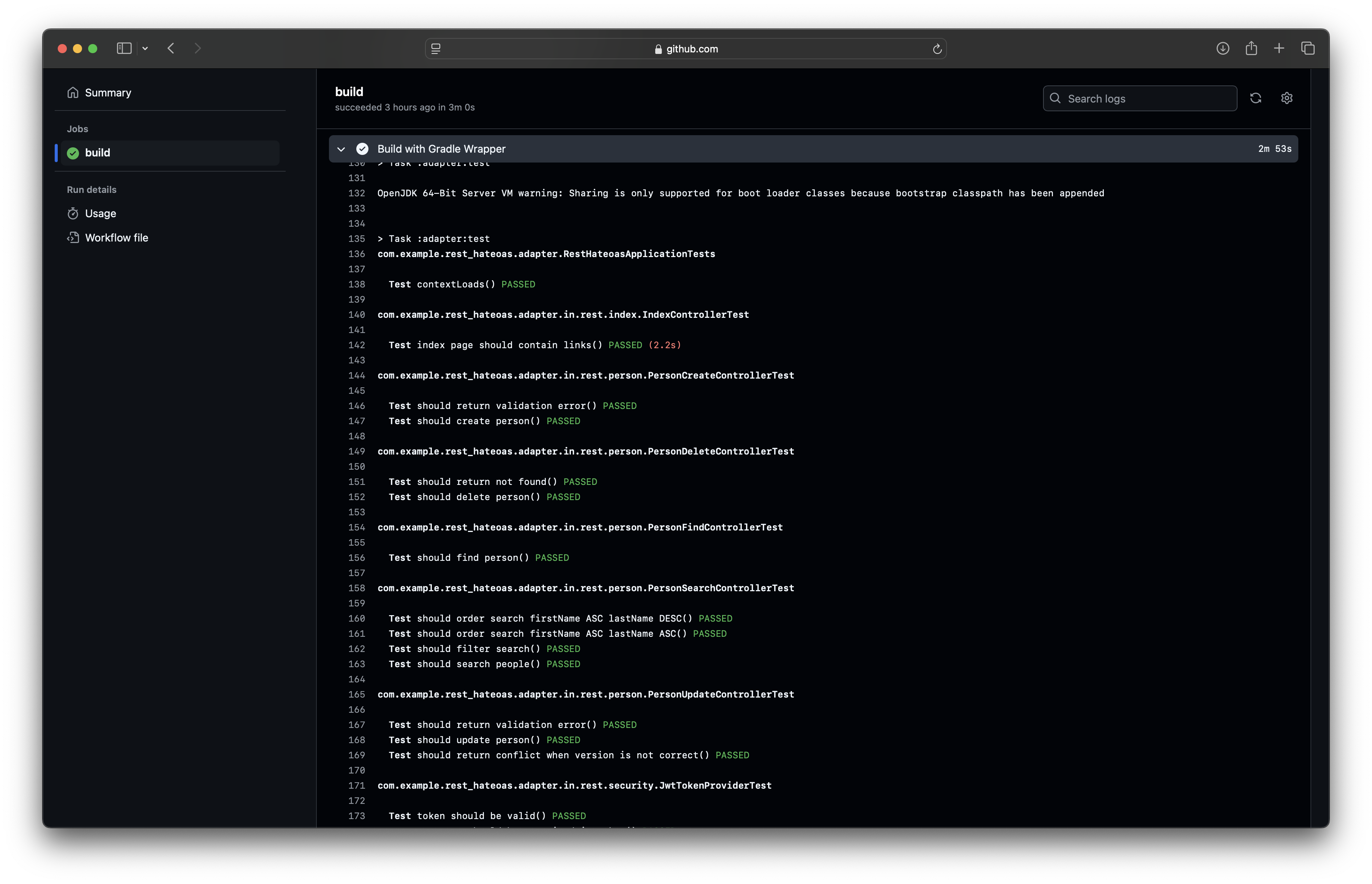
If the build fails with compile errors or tests failing, Renovate will not merge the PR, and you’ll need to fix the issue and merge the PR manually.
In some corporate environments you may have standards for branch naming and commit messages. You can configure Renovate to use a specific branch name and commit message format using the branchPrefix, prHeader and commitMessage options.
See https://docs.renovatebot.com/configuration-options/ for more details.
To get started with Renovate on Github, follow the instructions on the official documentation: https://docs.renovatebot.com/getting-started/installing-onboarding/#hosted-githubcom-app
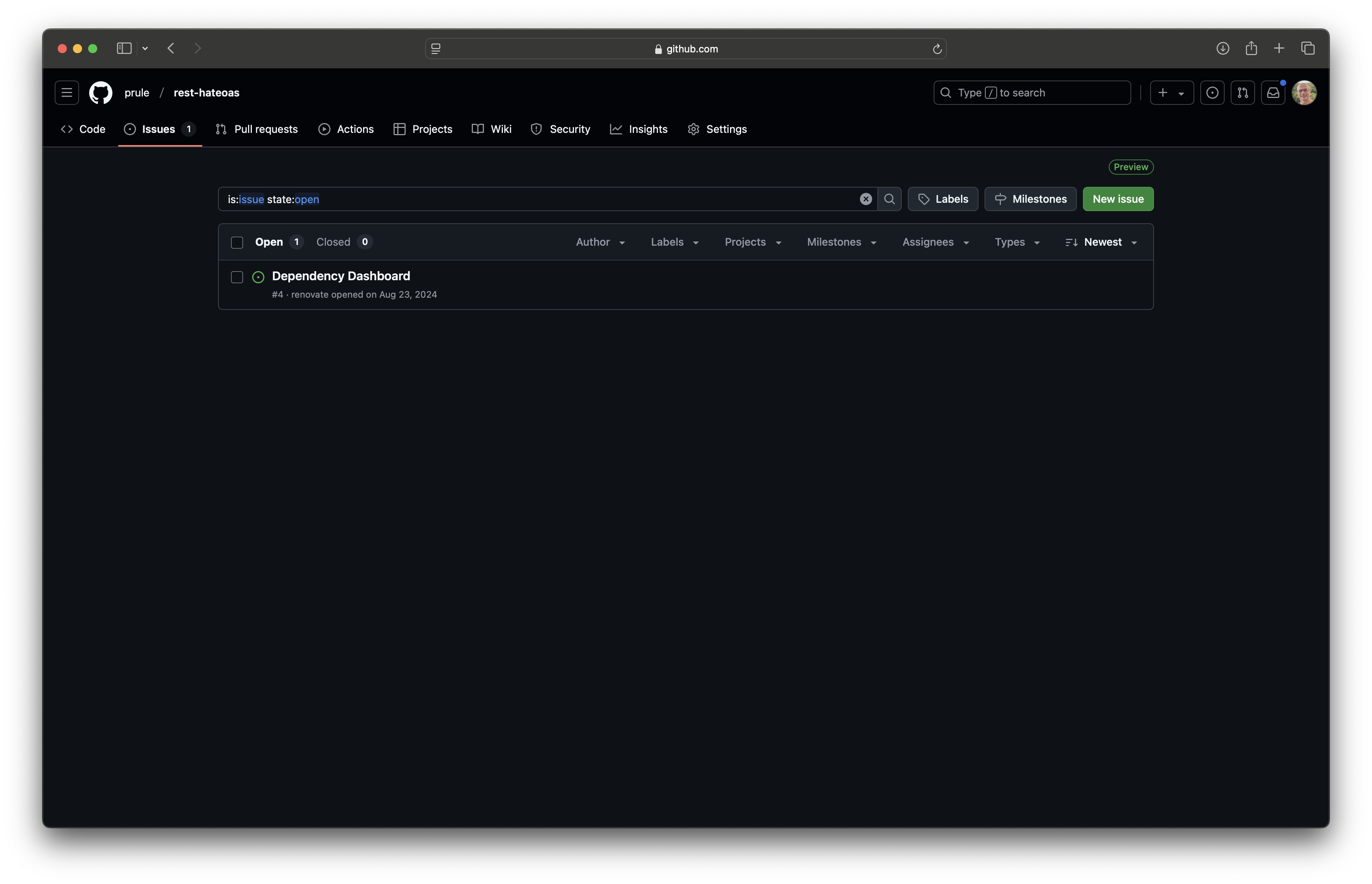
Once up and running, you’ll see an issue in your repository with a link to the Renovate dashboard:
If you view the dashboard, you’ll see a checkbox that lets you trigger renovate to run again on the repository:
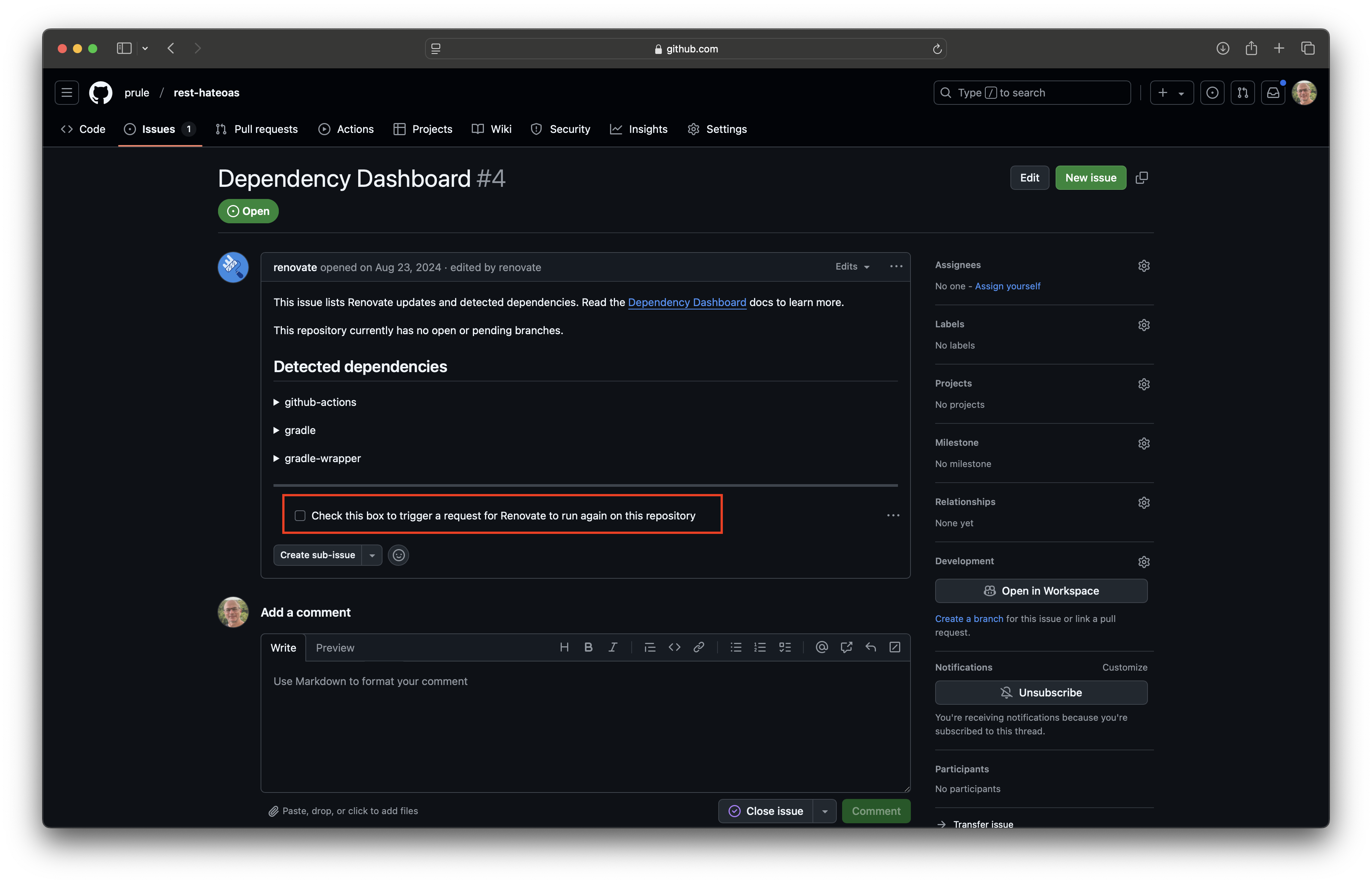
This is particularly useful if you’ve changed the configuration and don’t want to wait for the next scheduled run.
So there it is! Keep your dependencies up to date with Renovate. It’s a great way to keep your codebase healthy and your team productive.
If you enjoyed this article, feel free to support my work on Ko-fi!
Support on Ko-fi